Karaoke Night
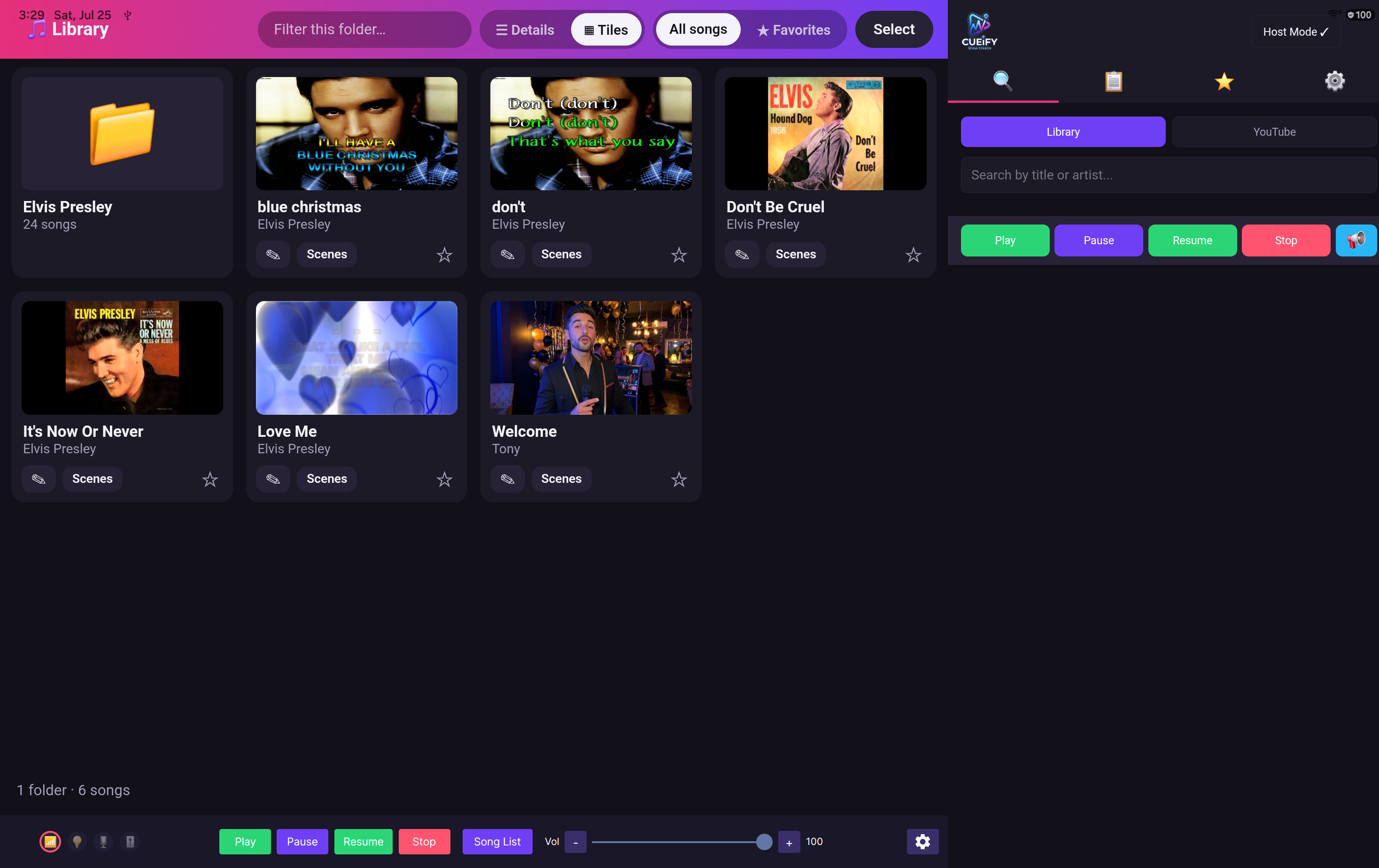
The full party, with the room joining in from their phones.
- Guests search and queue themselves
- AI host introduces every singer
- Fair rotation so nobody hogs the mic
- Real Auto-Tune in the singer's key

Coming soon — check back for updates
One Android tablet becomes a complete show system. Create a karaoke night, a live performance set list, or a kiosk that runs itself all day — each with its own running order, its own AI host and its own lighting — then hand over the evening.
One tablet. No PC. No laptop on the bar.
A show in Cueify is a whole evening saved in one place — its running order, its host's voice, its lighting scenes, its screen layout, its volumes. Build as many as you like, switch between them in a tap, and let one start on its own when the tablet powers up.
The full party, with the room joining in from their phones.
A set list you build in advance and drive from the tablet.
An unattended screen that greets people and answers them.
A self-service rehearsal room. The song library sits permanently on screen, the levels are one tap away, and there's no host, no announcements and no queue to wait in.
One show running. Every other show sits ready beside it.
Shows don't share settings, so the Tuesday practice room can't quietly rewrite your Saturday night. Set one up the way you want it and it stays that way.
Guests queue from their own phones. Between songs, Cueify introduces the next singer by name — as a studio-quality voice, or as a video host on the big screen — then rolls the track and gets out of the way.
The whole loop: idle screen, host introduces the singer, song takes the screen.
A song ends, and the next singer is already being introduced.
It reads the queue, knows the song and the artist, and never runs out of things to say. You write the lines once — or use the ones it ships with — and it fills in the names.
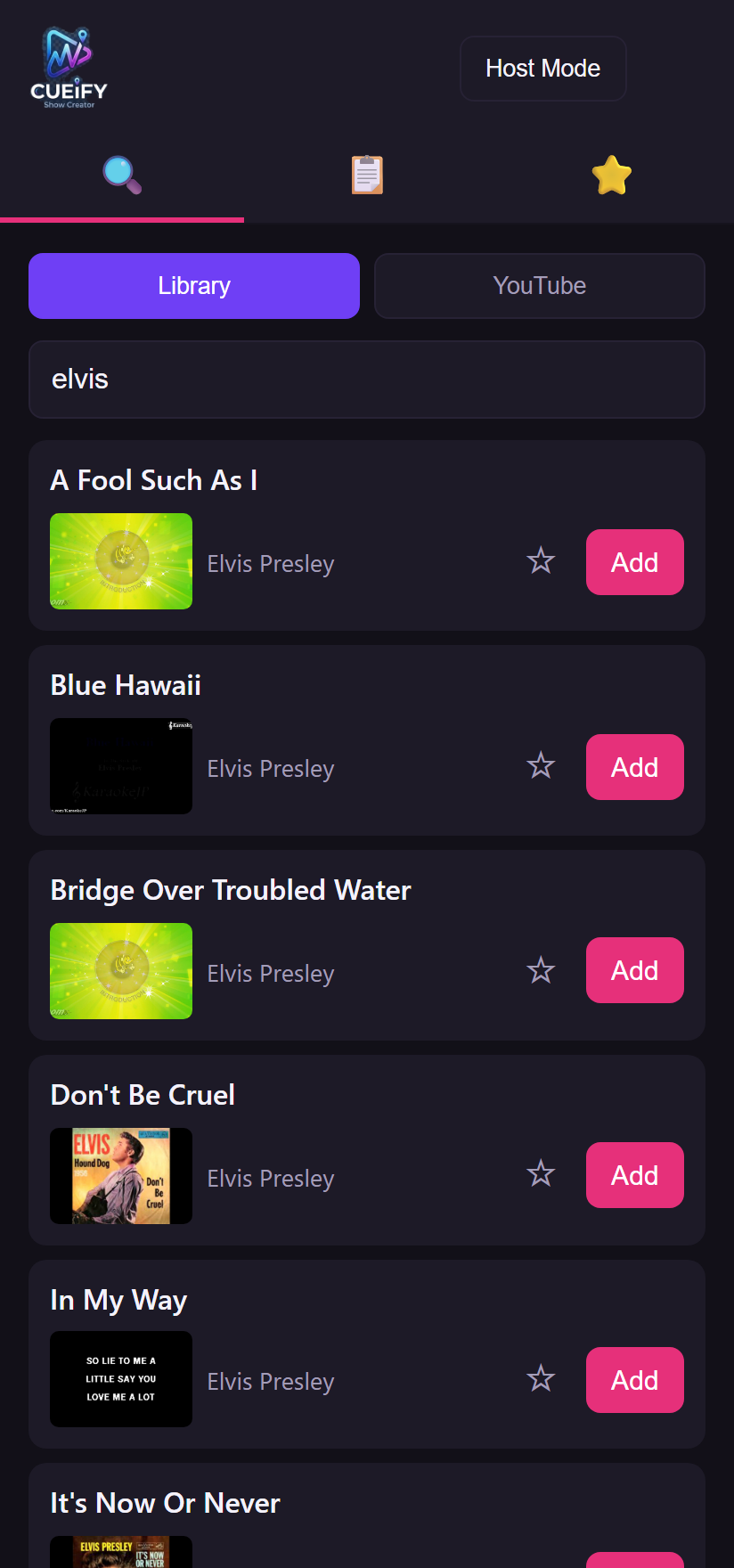
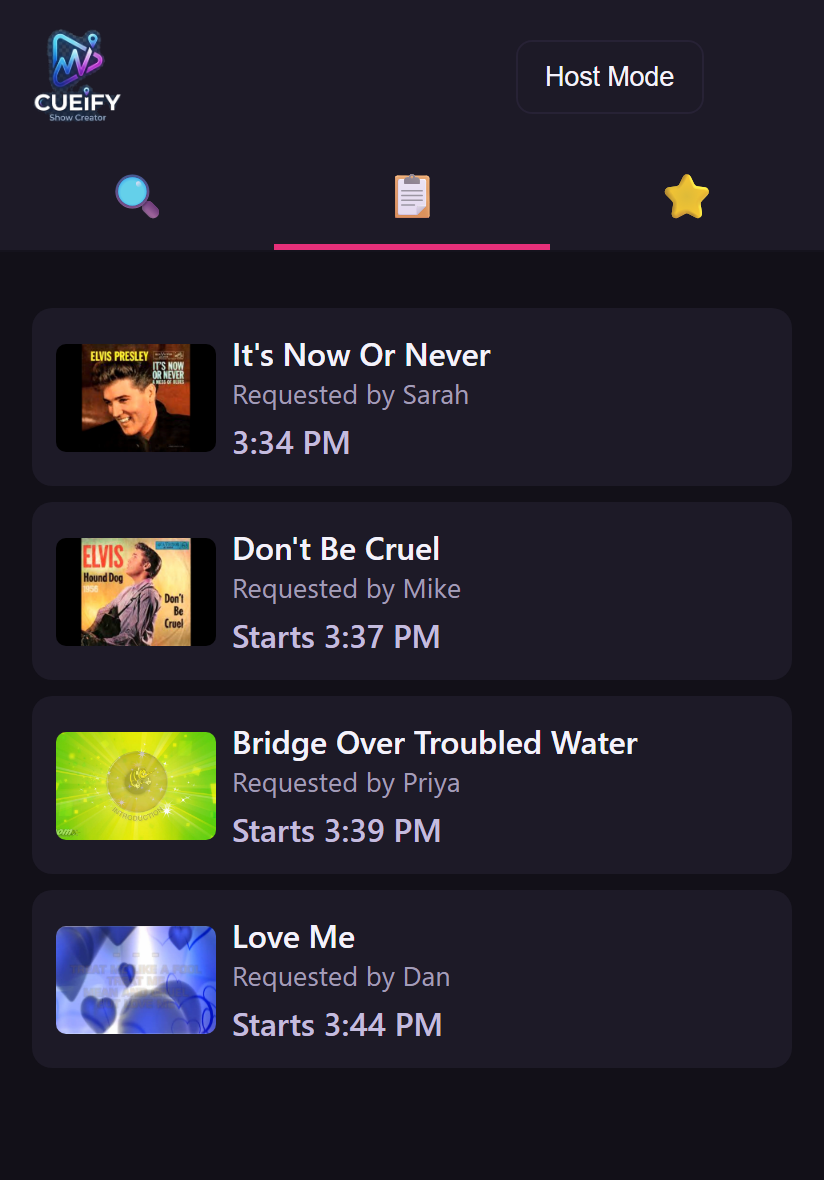
Your guests' phones. Nothing to install.
A QR code sits on the screen all night. Guests scan it, search your library, put their name to a song and watch the queue move — from their own phone, over your Wi-Fi, with nothing to download.
Cueify drives a genuine HeadRush VX5 vocal pedal running the actual Antares Auto-Tune® engine — the same industry-standard pitch correction used on real records — and it dials in the right key for every singer without anyone touching a setting.
Cueify works out what key each song is in and sets the pedal to match, song after song, with nobody at the desk.
Turn it on for the night from the library screen. Songs with a known key are corrected; the rest play untouched.
A real pedal in the signal path, not a filter in an app — so it sounds like the records your singers are copying.
For a night with a running order: a band's set, a tribute act, a cabaret, an awards evening. Build the list in advance, then run it from a screen designed to be operated mid-show, with a finger, in the dark.
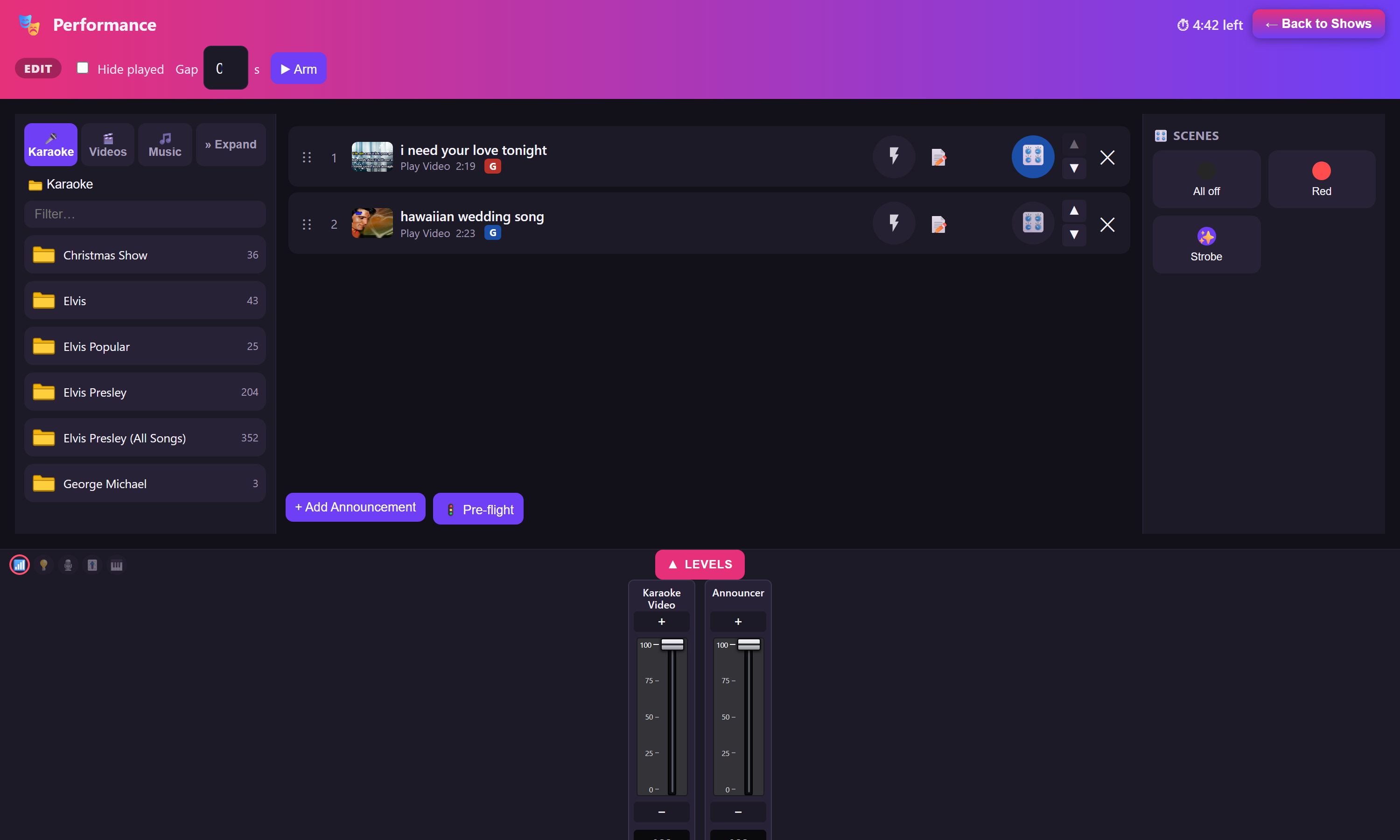
The performance screen — library, set list, scenes and levels, all at once.
Drag songs and videos in from your library on the left, lighting scenes in from the rail on the right, and add a spoken line with a button. Cueify holds that order between sessions, so the set you built on Wednesday is the set that's waiting on Friday.
The performance screen keeps the set list, the announcements, the lighting and the levels all in reach — even while a video is playing.
Restart, play, pause, stop — and fade smoothly into the next item when a song has gone on long enough.
Shrink the playing video into the corner and keep the whole control screen usable underneath it.
A rail of your own spoken lines, fired between numbers without touching the set list — and spoken in every language you've ticked, one after another.
Press a tile to move the lights, the vocal FX and the mixer at once — or drag it into the running order to fire at a set point.
A drop-down strip with the track and announcer levels, plus real faders for your mixer channels.
Play from any point in the list — the rest of the set carries on in order from there.
Clear the played marks and the whole set is ready to run a second time, in its original order.
Set a show to arm itself when the tablet boots, so a reboot mid-evening comes back ready.
Point a kiosk show at your own information and it becomes a talking information desk — for an open day, a showroom, a trade stand, a reception, a property viewing. It runs all day, resets itself for every visitor, and needs nobody standing next to it.
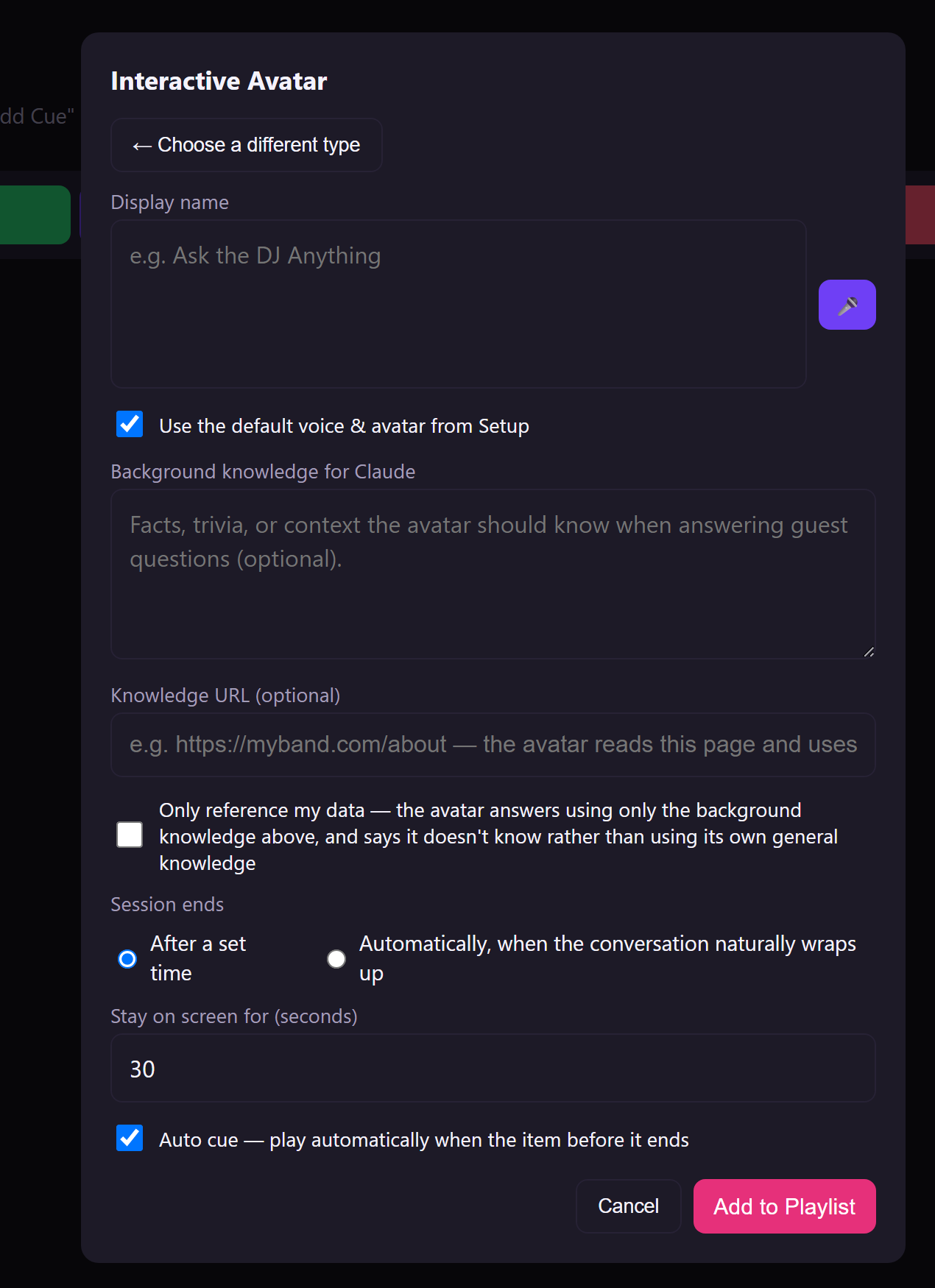
Give it what it should know. It handles the conversation.
A visitor speaks a question at the tablet and the avatar answers them aloud, from the information you gave it — not from the open internet, unless you want that.
Walk up, pick a song, sing. No host, no announcements, no queue — the library is just there on the screen, and so are the levels.
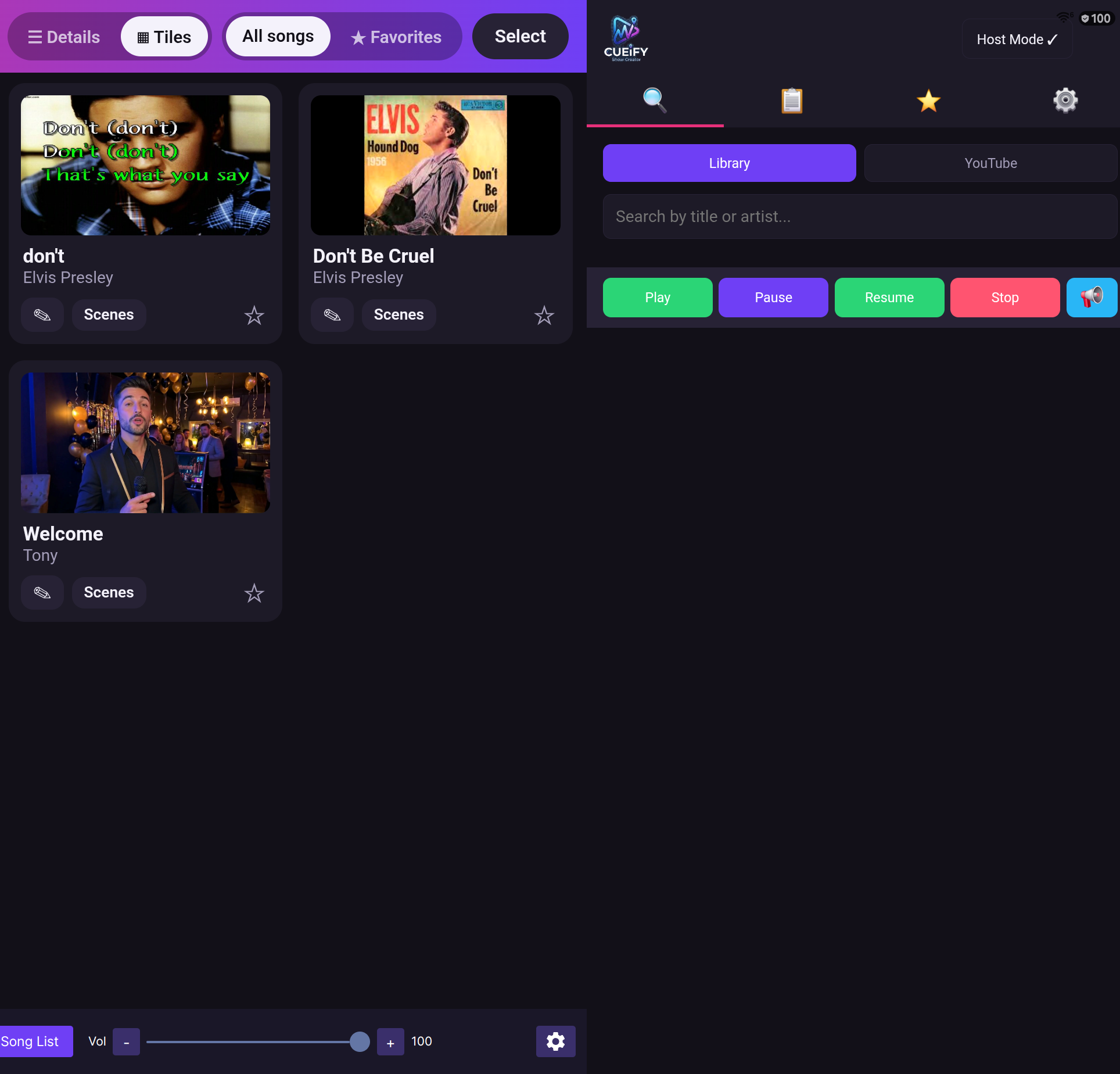
Library on the left, live controls on the right — one screen, no host.
Practice mode strips the night back to the part a singer actually needs. Everything that exists to help a host run a party is switched off.
Songs, announcements, lighting changes, videos and interactive moments all live in a single list, in the order they'll happen. Set a cue to fire automatically, or hold it until you say go. A Kiosk show can use all seven from one picker; the other show types offer the ones that make sense for them.
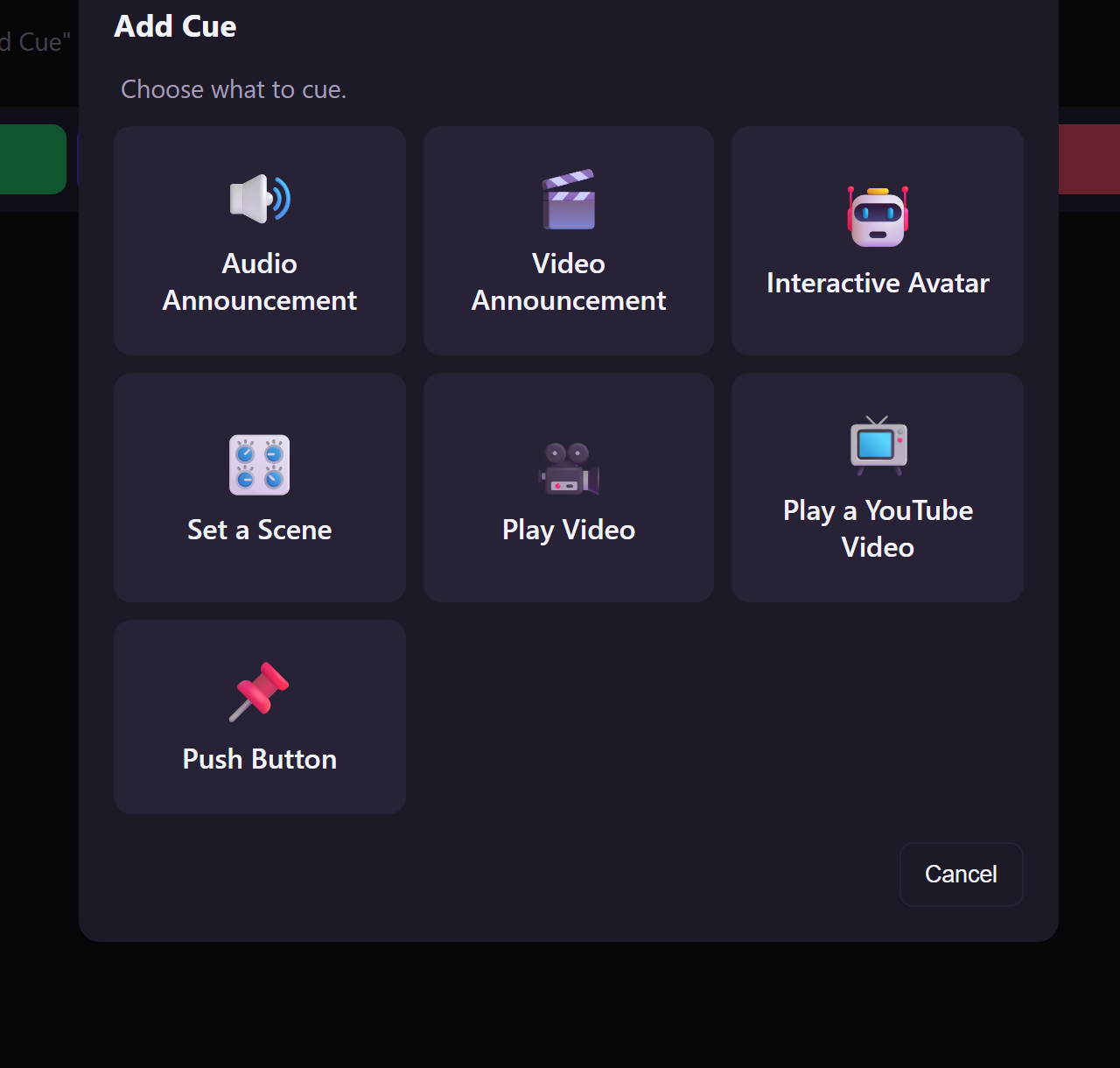
A Kiosk show's cue editor, where all seven are on offer.
A spoken line in your chosen voice, at exactly the right moment.
The same, delivered by a video host on the big screen.
A live spoken Q&A with your guests, from your own knowledge base.
Snap the lighting rig, vocal FX and mixer to a named look.
Roll a video from your library — an advert, a montage, a sting.
Cue any YouTube video, no download and no karaoke-only filter.
A big on-screen button that holds the running order until someone presses it.
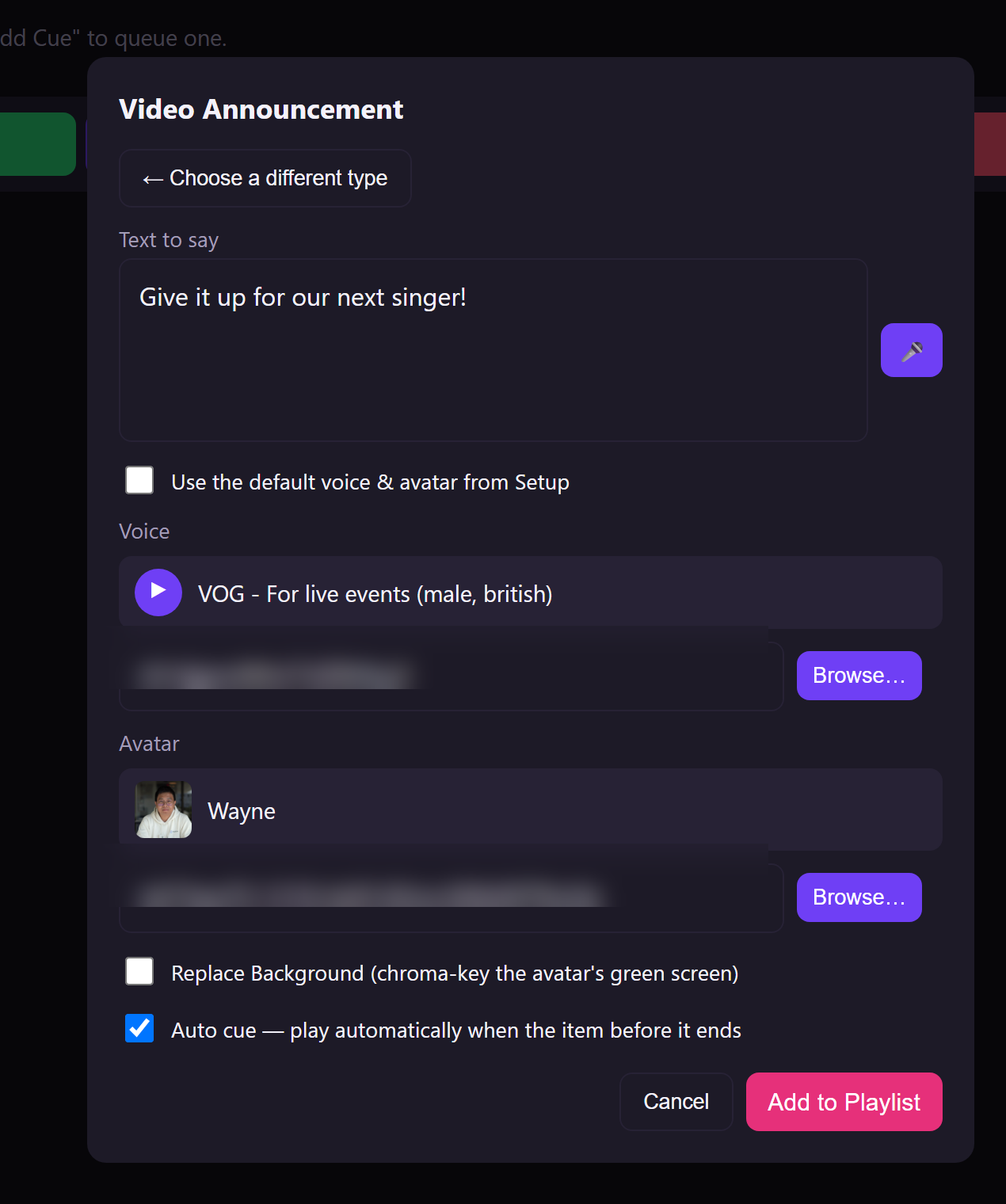
Adding a cue: pick a type, fill in the one form, done.
Auto-cue chains items together so the night flows without a finger on the tablet. When you do want a pause — a raffle, a speech, a change of act — drop in a Push Button and the show waits politely for you.
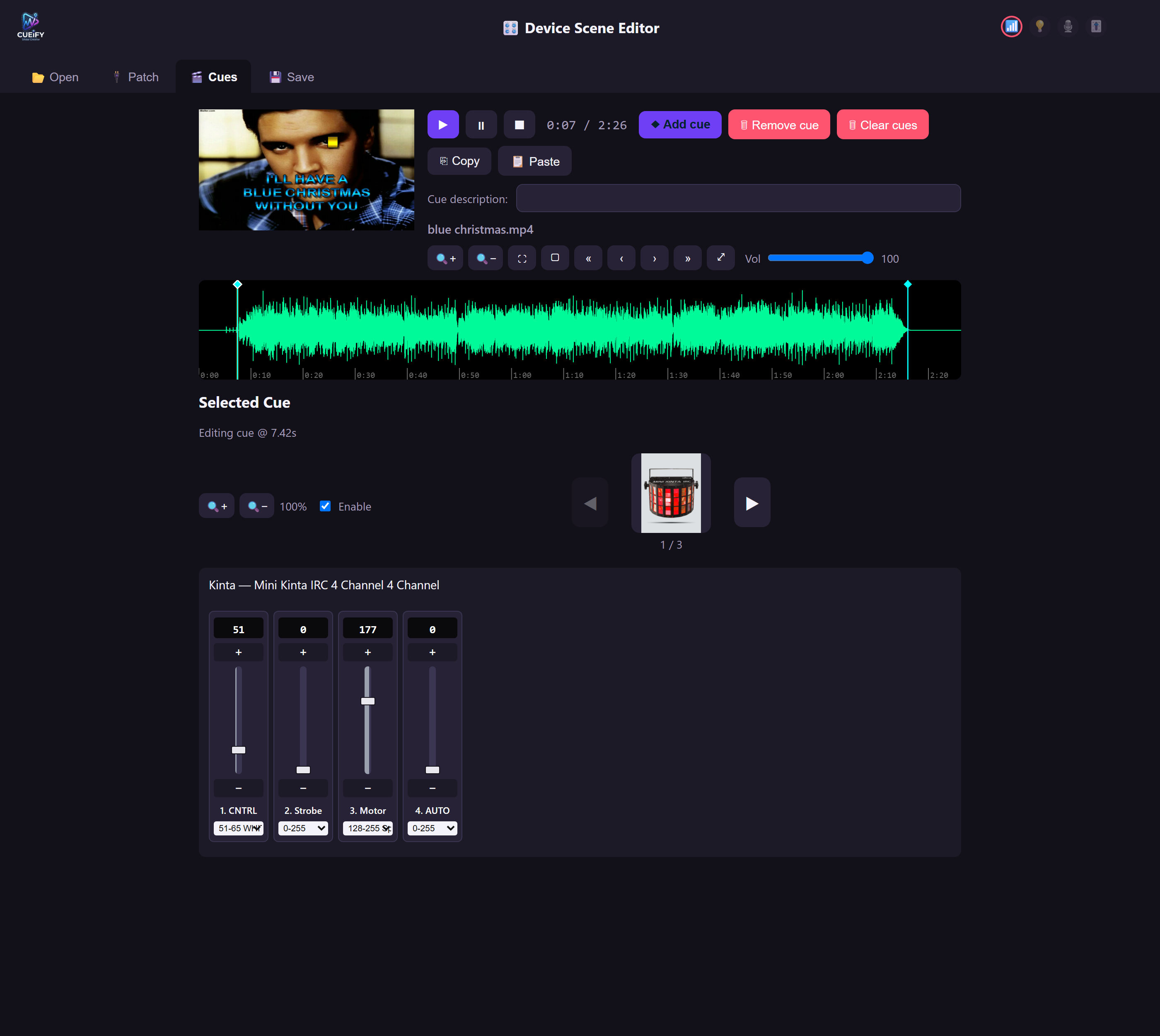
The Device Scene Editor — cue lighting against the actual waveform.
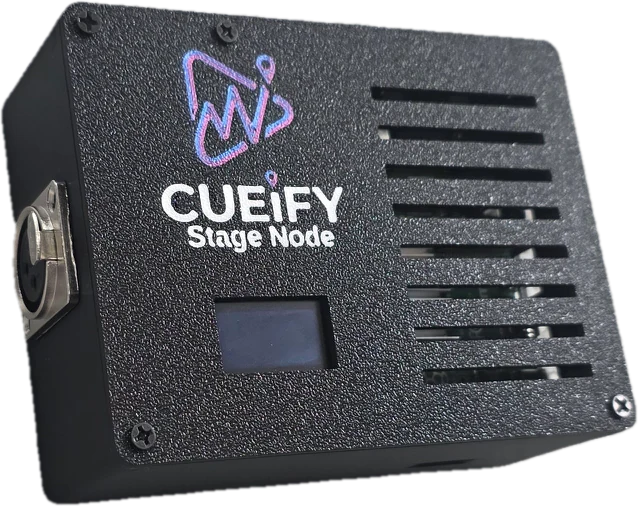
Add a Cueify Stage Node and the same running order drives your rig. Scrub a song's waveform, drop a cue exactly where the chorus lands, and it fires there every time that song plays.
One small enclosure. Everything else is the tablet you already have.
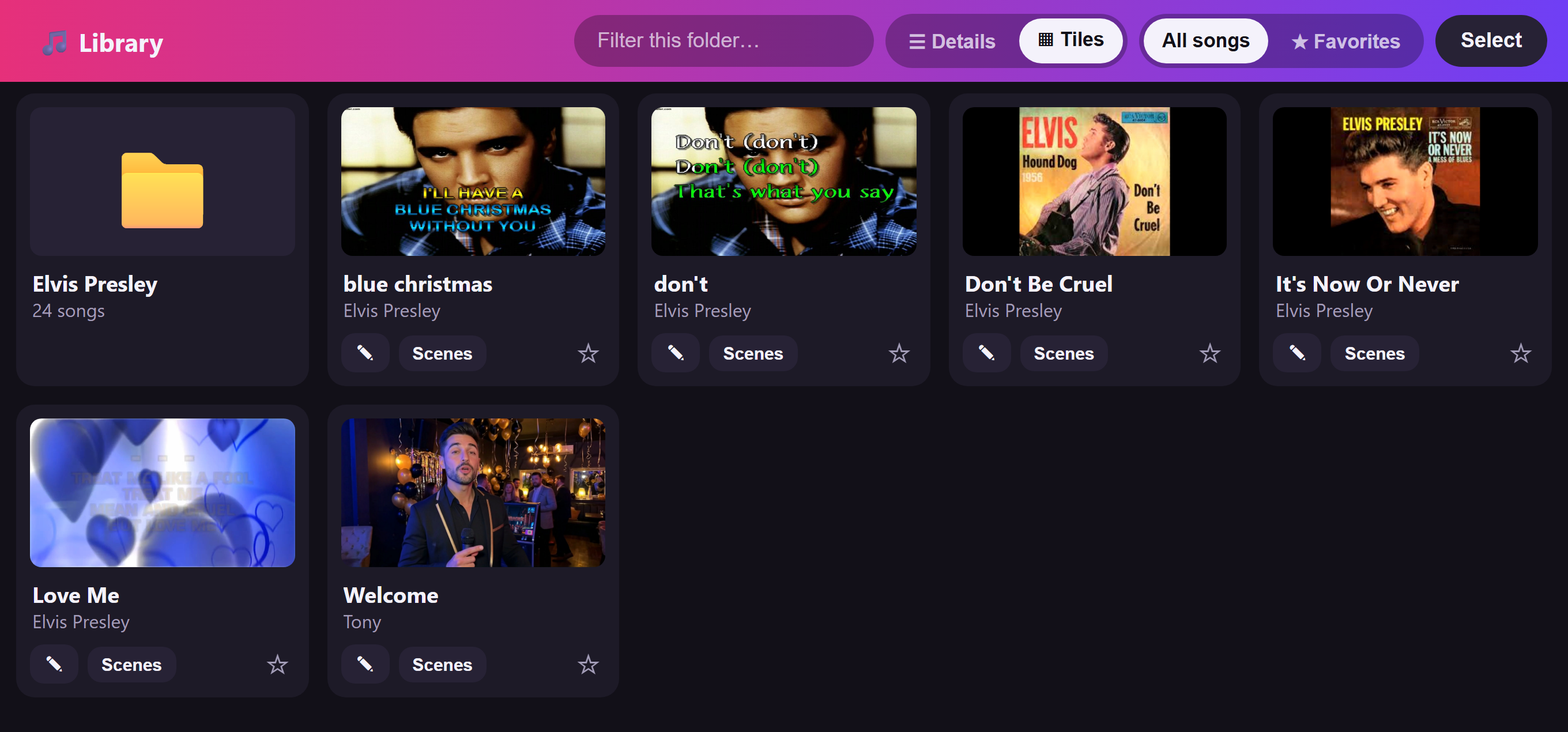
Your files, on the tablet, in artwork tiles.
Karaoke tracks, videos, music and images, each in their own area, browsable by folder — with everything you'd otherwise need a laptop for.
.cdg file beside the audio.Snapshot every show and every setting to a named file, and bring the lot back next week.
Independent levels for the track, background music, the announcer and the avatar.
Your own images between songs, with background music underneath.
Guests reach the tablet by name on the venue Wi-Fi — no router setup needed.
Every control is behind a PIN, and the tablet's own panel unlocks itself so you're never typing it on stage.
Show the live guest interface right beside the video, so the host screen is also the control screen.
The queue slides away the moment a song starts and the video takes the whole screen.
A plain-language assistant inside Setup that walks you through switching a feature on.
Settings are split once, and only once: things that belong to the tablet, and things that belong to a show. You never have to work out which you're editing — they're separate screens, and the show one carries the show's name across the top of it.
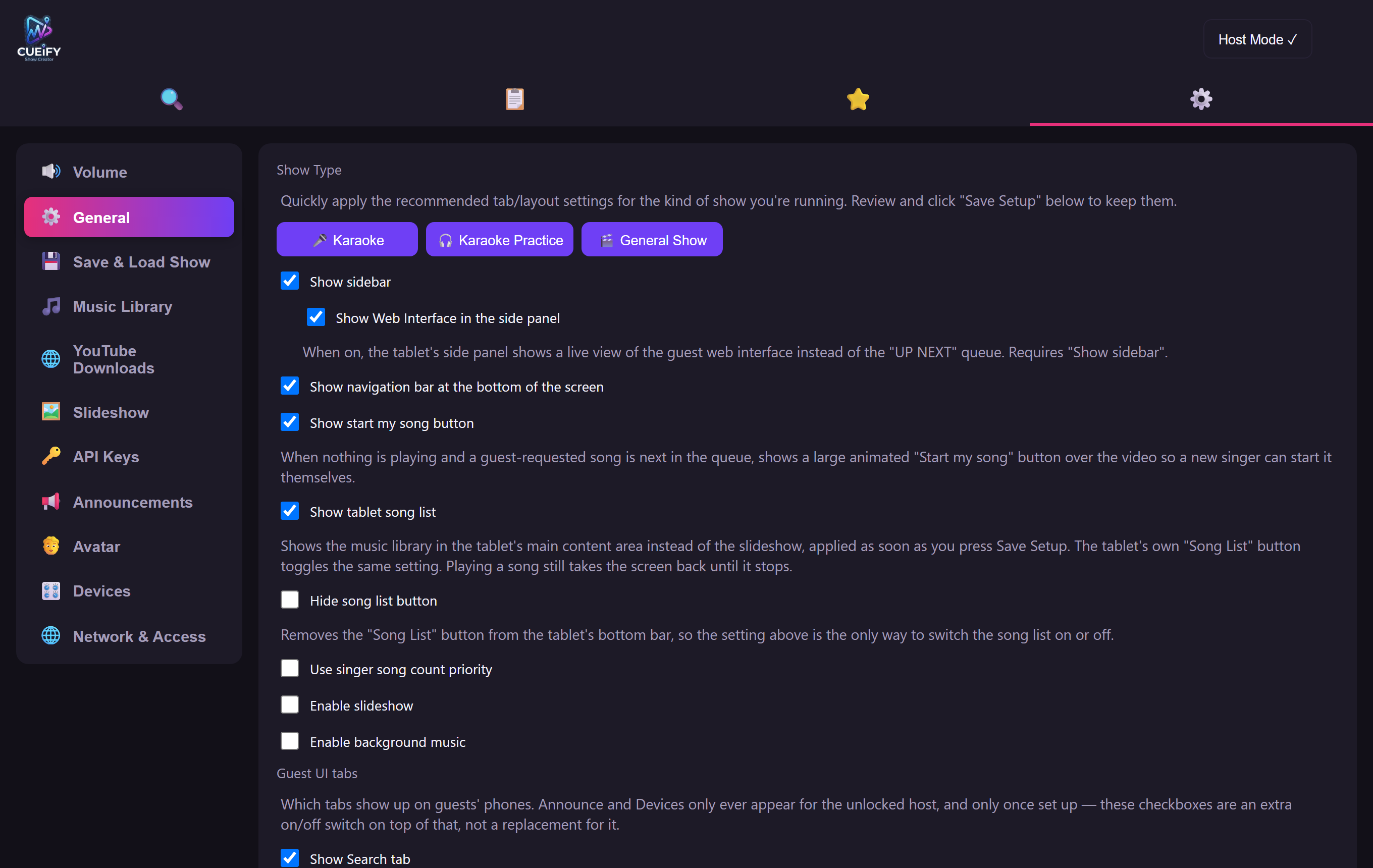
The tablet's own settings — set once, then left alone.
Your folders, your accounts, your Stage Node, your network. The things that don't change from one night to the next, and that every show on the tablet shares.
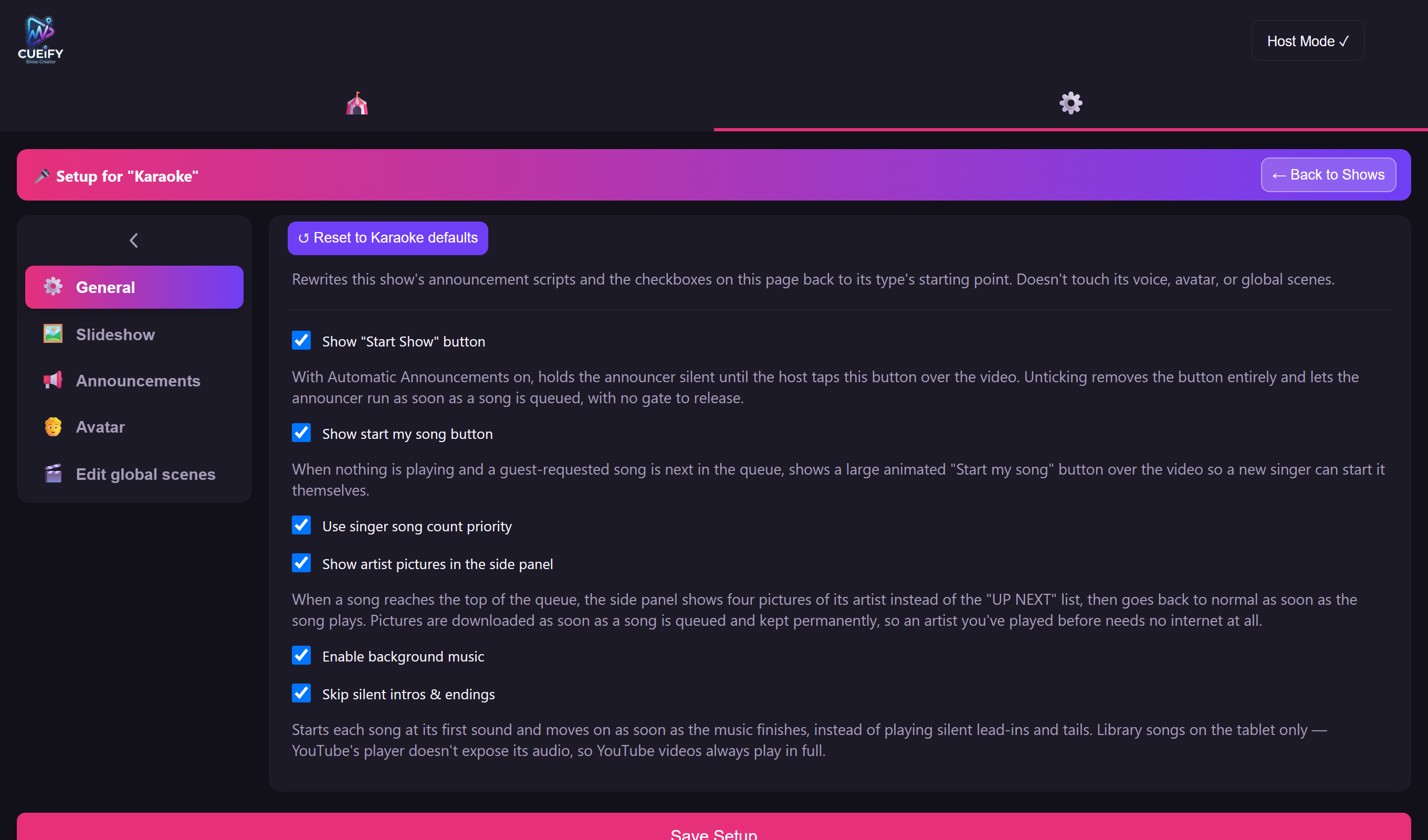
A show's own settings, headed with the show they belong to.
Open a show's settings from its card and what you change there changes that show and nothing else. Your Friday karaoke and your Saturday performance can disagree about everything and neither one notices.
Choose your folder and let Cueify scan it. Titles, artists, keys and volumes are sorted out for you.
Karaoke, Practice, Performance or Kiosk — pick a type and every setting arranges itself sensibly. Then build the running order.
Put the QR on screen for a karaoke night, or arm the set and press play. From there it runs itself.
"The tablet is the show. Lighting desk, karaoke player, announcer, queue system and information kiosk — all of it, on one screen, on the wall." — WHAT CUEIFY REPLACES
| Host device | A single Android tablet — no PC, no laptop, no rack |
|---|---|
| Show types | Karaoke Night, Karaoke Practice, Live Performance and Kiosk — as many shows of each as you like |
| Guests | Any phone with a browser, over the venue Wi-Fi. Nothing to install |
| Media | Your local karaoke library — MP4 video tracks and MP3+G discs (an .mp3 with its .cdg lyrics file) — plus your own video and music folders, and YouTube search, streaming and download |
| Lighting | DMX from the Cueify Stage Node, linked to the tablet over Bluetooth, out through an ENTTEC interface over XLR |
| Vocal FX | HeadRush VX5 with real Antares Auto-Tune, key selected automatically per song |
| Stage gear | Allen & Heath CQ-12T mixer over MIDI, a Behringer XR12 mixer over the network, and any class-compliant USB MIDI instrument |
| Voice & avatar | Studio TTS voices and live video avatars, on your own ElevenLabs and LiveAvatar accounts (bring-your-own-key), plus on-device speech recognition for the kiosk |
| Security | Host PIN on every control; optional HTTPS for the guest interface |
Yes — that's rather the point of it. Each show keeps its own running order, host voice, lighting scenes, slideshow and screen layout, and they don't interfere with each other. Switch between them in a tap, duplicate one to start the next, and back the whole set up to a file.
A Performance show is driven by you: you build a set list and run it with a transport — play, pause, fade to the next — and you can amend the running order mid-show without disturbing the set you built. A Kiosk show is meant to be left alone: it loops its running order all day, resets itself for each new visitor, and can start on its own when the tablet powers up.
No. They scan the QR code on the screen and the interface opens in their phone's browser. It's served by the tablet itself, so it works even if the venue's internet is down — you only need the Wi-Fi.
Yes. The lighting, vocal FX and mixer features are entirely optional — Cueify runs perfectly happily as a karaoke and announcement system on its own, and you can add the Stage Node later.
It's real. Cueify drives a genuine HeadRush VX5 pedal running the licensed Antares Auto-Tune engine — the same pitch-correction technology used in professional studios — not a software filter bolted onto the app. The part Cueify adds is picking the right key automatically, so nobody has to know the song's key or set anything by hand.
The app itself doesn't charge for them, but the AI host's voice runs on your own ElevenLabs account and the video avatar on your own LiveAvatar account — both bring-your-own-key, so you only pay for what you actually use. YouTube search needs a free YouTube Data API key too. None of this is required: the voice and avatar are optional, and Cueify works fully without them.
That's exactly what it's for. Give it your own information — typed in, or read from a web page you nominate — and it becomes an information desk for an open day, a showroom, a trade stand, a property viewing or a reception area. Turn on "only reference my data" and it will admit it doesn't know rather than making something up.
Cueify searches YouTube alongside your own library and can stream the result straight away — or hand the download off to the Stage Node so it's in your library for next time.
No. Everything that changes the show sits behind a host PIN, and you choose which tabs guests can even see. The tablet's own panel unlocks itself, so you're never typing a PIN in front of a room.
Yes — build the running order as cues inside the show, and it's still there next time. You can also snapshot everything to a file and restore it at the venue.
Still have a question? Get in touch →
We're putting the finishing touches on it now — check back soon for the release, or have a look through everything it'll do in the meantime.